You’re stuck on assembly and blurry moon shots, right? Start by balancing your tube and aligning the finder on a distant target a quarter-mile away. Now, focus the Moon with your 25mm eyepiece before boosting power using the 10mm lens and a 2x Barlow. Secure your phone adapter tightly to stop drift, then manually track to keep craters sharp. Master these steps, and you’ll soon capture stunning lunar details without the frustration.
Assemble the Hexeum Telescope Tube and Diagonal
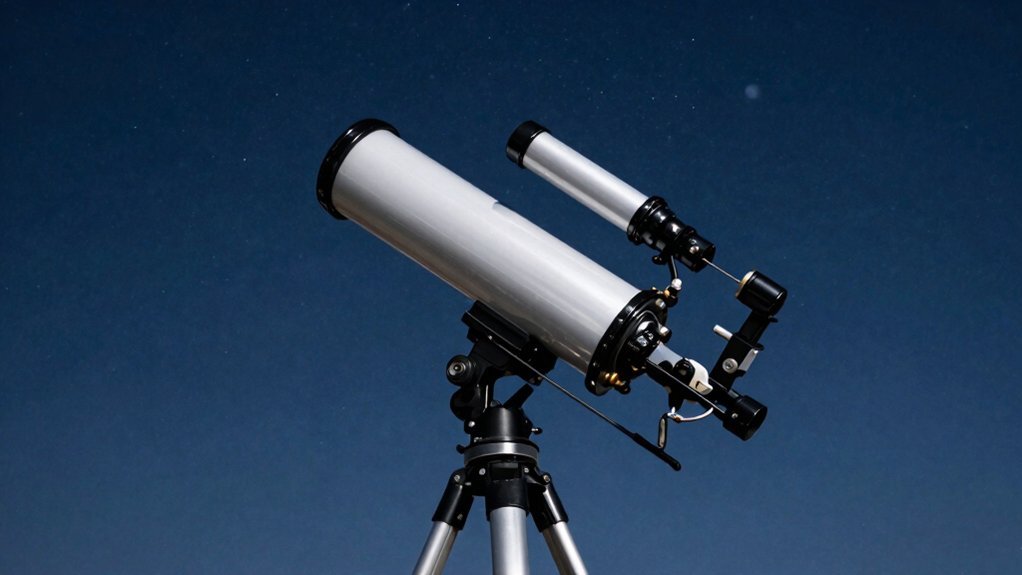
Start by seating your optical tube onto the mount arms or rings, depending on your specific Hexeum model. You might wonder where exactly to clamp it for best balance. Obviously, centering the tube around its midpoint prevents tipping later. Tighten those thumbscrews until the tube stability feels solid, but don’t crush the metal. Here’s the thing: loose parts ruin your view faster than bad weather ever could. Check that nothing wobbles before you touch the focuser. Now, slide your star diagonal fully into the focuser drawtube for proper diagonal insertion. Secure it with the locking screw immediately so it won’t slip out. This angled mirror saves your neck during long viewing sessions tonight. Your optical train is now mechanically complete and ready for eyepieces. Did you double-check every knob for snugness without overtightening anything? Next, you’ll need to align that finderscope on a distant target. Remember to screw telescope tube onto the top of the tripod by turning it clockwise until it is firmly secured. Proper collimation alignment ensures your optics deliver the sharpest possible images once the hardware is assembled. Understanding optical resolution helps you select the right eyepiece to maximize the clarity of celestial details during your observation. Maintaining thermal equilibrium by allowing your telescope to cool down outside prevents air currents inside the tube from distorting your view.
Align the Finderscope on a Distant Daylight Target
Two quick steps solve that wobbly view you’re worried about right now. First, pick a stationary daylight target like a distant chimney or sign. Aim for something at least a quarter-mile away to guarantee accuracy. Avoid the Sun completely while selecting your reference point.
Now, insert your lowest-power eyepiece and center that object perfectly in the main view. Loosen the mount locks so you can move the tube freely. This stable base makes telescope alignment much simpler for you.
Look through the finder scope next. Use the small adjustment screws to move the crosshairs onto your target. Apply gentle centering techniques until both views match exactly. You’ll likely need a quick back-and-forth check between instruments. Regular alignment is key for successful observing sessions. Understanding how optical axes must be parallel ensures your finder remains accurate even after transport. Properly aligning these components relies on the principle of collimation to maintain optical integrity across your system. Securing the mounting screws firmly after adjustment prevents the alignment from shifting during use.
Obviously, repeating this on a second object confirms everything is locked in tight. A precise finder scope saves you huge headaches when night finally falls. Ready to see the Moon clearly?
Focus the Moon Using the 25 Mm Eyepiece
Once you’ve got the Moon in your sights, grabbing that 25 mm eyepiece is your smartest first move. This low-power lens offers the widest view, making initial lunar observation much easier for you. You’ll find centering the bright disk simple before worrying about fine details or sharpness.
Now, turn the focuser knob slowly until the cratered surface snaps into clear focus. Quick turns often miss the sweet spot, so take your time with these beginner techniques. A sharp image reveals distinct edges and bright surfaces without any annoying blur. Consider using polarizing or moon filters to reduce glare and enhance contrast while you observe. Unlike high-power setups that demand precise optical alignment to prevent image degradation, this wide-field configuration is far more forgiving for novice users. Maintaining a steady tripod setup ensures the image remains stable while you adjust the focus.
Keep the Moon centered as it drifts, refocusing slightly if the view softens during your session. Obviously, different eyepieces require fresh focusing later, but start wide for the best stability. Master this wide-angle approach first to build confidence before chasing higher magnification powers. Starting with lower power helps you locate objects more easily before switching to higher magnifications for detailed views.
Increase Power With the 10 Mm Eyepiece and Barlow
Two simple upgrades instantly double your viewing power without buying new glass. You probably wonder how a small lens changes everything so dramatically. Now, slide that 2x Barlow into your focuser first. Next, pop your 10 mm eyepiece right into the Barlow itself. This setup creates the same effective magnification as a tiny 5 mm eyepiece.
Here’s the thing: the Barlow spreads your light cone before it hits the glass. Your telescope suddenly acts like it has a much longer focal length. You get serious Barlow benefits without sacrificing your comfortable eye relief. Obviously, this narrower view works best for crisp lunar details. Just remember that shaky air can blur these high-power images quickly. The device functions by doubling the focal length of your telescope to enhance magnification capabilities. Keep in mind that atmospheric stability often dictates whether high magnification reveals detail or just blur. Maintaining optical alignment ensures the light path remains centered for the sharpest possible image. Understanding exit pupil size helps you avoid dim images when pushing magnification too high.
Don’t push past your scope’s limits or things get dim and fuzzy. You now hold the key to revealing serious planetary potential. Ready to capture those sharp views on your phone next?
Attach the Smartphone Adapter for Moon Photography
You’ve probably wondered why your Moon photos look like blurry blobs even with a steady hand. It’s usually just bad alignment, not your fault. First, check smartphone compatibility to guarantee your device fits the clamp securely without hitting buttons.
Now, attach the adapter to the 1.25-inch eyepiece before locking your phone in place. Center the main camera lens directly over the optical path for a clear view. Tighten everything down so nothing drifts while you aim at the lunar surface. To prevent the frustration of misaligned optics, ensure the phone camera is perfectly centered with the eyepiece using a light source before fully securing the mount.
Here’s the thing: proper camera settings matter more than you think once mounted. Avoid digital zoom and manually lower exposure so bright craters don’t wash out completely. Use a timer to stop screen taps from shaking your sharp image. Understanding the optical path ensures that light travels correctly from the telescope to your sensor for maximum clarity. Stabilizing the telescope mount is essential because mechanical vibrations from wind or touch can ruin image sharpness regardless of your camera settings. Historical records of pivotal telescope events show that early astronomers relied on manual tracking to maintain steady views before motorized drives were invented.
All right, your setup is ready for crisp, detailed lunar shots tonight. Ready to capture those craters clearly?