You’re worried about stripping threads or missing focus when mating your camera to a telescope. Start by selecting the correct T-ring for your specific mount, like Canon EF, then match the adapter to your focuser size. Remove your lens, screw the nosepiece into the ring, and lock it tight. Focus on a bright star using a Bahtinov mask for precision. Set ISO 3200 for tests and use a remote release to kill shake. Stick with us to master every exposure setting you’ll need.
Select the Correct T-Ring for Your Camera Mount
How do you pick the right T-ring when every camera brand seems to speak a different language? You need specific T ring compatibility because mounts vary wildly. Your Camera brand alone doesn’t guarantee a fit since Canon EF differs from Canon M.
Now, check your camera’s native bayonet interface carefully. The ring must snap on just like a regular lens does. Obviously, matching by brand only fails if you ignore the specific mount family.
Most rings use standard M42×0.75 threads on the telescope side. This connects your gear to adapters while maintaining essential 55 mm spacing. A wrong thread stops attachment even with the correct camera mount.
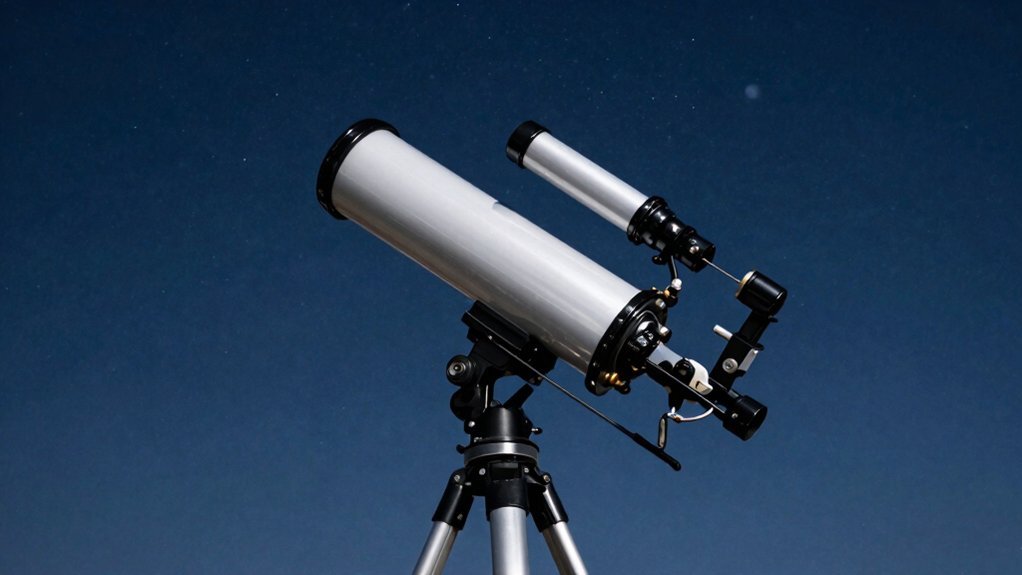
Ensure the ring locks securely and aligns your sensor properly. Verify both your mount type and thread standard before buying anything. Next, you’ll need to match the adapter to your focuser size. Understanding the main telescope types helps ensure your chosen adapter supports the optical design of your specific instrument. Selecting the correct optical design is crucial because refractors, reflectors, and compound telescopes each have unique focal properties that affect how your camera attaches and performs.
Match the T-Adapter to Your Focuser Size
You’ve got the right T-ring, but now you’re staring at your focuser wondering which adapter barrel actually fits. T adapter sizing depends entirely on your focuser compatibility. Match a 1.25-inch or 2-inch barrel to your tube’s native opening for a stable connection. Obviously, thread standards stay consistent at M42×0.75 across brands.
Now, consider your specific telescope types before choosing. Newtonians often need zero-profile adapters to shorten the optical path for proper focus adjustment. Direct thread benefits include rigidity assurance and compactness when your focuser supports them. This setup minimizes extra hardware that might wobble. Expert guides recommend verifying the focuser drawtube travel range to ensure your camera can reach the focal plane without running out of inward movement. Understanding the optical tube assembly dimensions helps prevent mechanical interference when selecting the correct barrel length for your specific instrument.
All right, remember backfocus importance when stacking reducers or flatteners. Incorrect spacing ruins image quality faster than a shaky mount. Check manufacturer specs carefully before tightening anything down. Your goal is reaching the focal plane without excessive extension tubes. Get this mechanical fit right now to save headaches later. Understanding the differences between main telescope types helps ensure your chosen adapter configuration aligns with your specific optical design. Next, you’ll need to prep the camera itself.
Remove the Lens Before Telescope Attachment
Stop right there and take that camera lens off immediately. You might wonder why your standard glass won’t work here. Obviously, the telescope acts as your new lens for prime-focus imaging. Keeping your camera lens attached blocks the direct optical path needed. This step creates the clear line of sight your sensor demands.
Understanding lens removal importance saves you from blurry, unfocused frustration later. Your telescope focuses light directly onto the sensor, not through another element. Handle your bare camera body carefully during this switch to guarantee sensor protection. Dust loves settling on exposed sensors, so work quickly and keep caps handy. Always grip the camera body firmly, never the delicate mounting threads themselves. In this configuration, the telescope functions as a prime-focus lens to project the image directly onto your camera’s sensor without additional glass elements. Selecting the correct aperture size ensures sufficient light reaches the sensor for clear imaging. Different telescope designs offer varying optical performance that directly impacts the sharpness and brightness of your astrophotography results.
You now have a bare body ready for the T-adapter compatible with your specific camera model. Are you ready to screw that specific ring onto your camera mount?
Attach the T-Ring to the Prime Focus Nosepiece
Grab your brand-specific T-ring and align it just like you would a normal lens. You’ve probably wondered how these pieces actually lock together without wobbling during long exposures. Obviously, proper nosepiece alignment guarantees your camera sits square to the optical path.
Now, screw the prime-focus nosepiece directly into the T-ring’s female M42 thread. This threaded connection creates a rigid bridge between your camera body and the telescope. Tighten it firmly enough to stop shaking, but don’t strip the threads by overdoing it. You need a solid mechanical interface before sliding this whole assembly into the focuser. Remember that the eyepiece must be removed from the telescope to accommodate this specific camera setup. Ensuring the optical path remains unobstructed is critical for capturing sharp, high-contrast images of deep-sky objects. Understanding the telescope’s focal ratio is also essential, as it determines the image brightness and field of view you will achieve with your specific camera sensor.
Insert and Lock the Camera in the Focuser
With that rigid bridge built, you’re probably wondering how to seat this whole assembly without it slipping or tilting. You slide the adapter into the focuser just like a giant eyepiece, matching your specific focuser types. Check your adapter specifications carefully, ensuring the barrel sits deep enough for stable support before you tighten anything. Most modern setups benefit from verifying focuser drawtube tension to prevent sagging under the added weight of the camera rig. Understanding the optical tube assembly dimensions ensures your camera rig maintains proper balance and clearance during rotation.
Now, engage the securing mechanisms firmly. Most systems use two thumbscrews or a rear locking ring to clamp the hardware tight. You must lock this down completely so the camera stays fixed while you hunt for perfect focus later.
All right, let’s talk vibration control. Never touch the shutter button directly, or you’ll blur your stars with shaky hands. Use a remote trigger instead to start exposures smoothly without jarring the setup. Your final takeaway? Secure everything tightly, then step away from the scope to shoot. Ready to sharpen those star points? For extended imaging sessions, utilize an intervalometer to trigger the camera remotely and avoid vibrations caused by direct button pressing. Just as you would use a soft brush to gently remove dust from telescope optics without scratching them, handle your camera connections with care to prevent debris from settling on the sensor during assembly.
Add Coma Correctors for Fast Optics
If you’re shooting with a fast Newtonian, those weird seagull-shaped stars at the edge probably have you scratching your head. This edge distortion worsens as your focal ratio drops below f/5. You need a coma corrector to fix these specific coma types before they ruin your deep-sky images.
Now, understand that corrector benefits extend beyond simple cleanup; some models even act as focal reducers. Your optical configurations must maintain rigid sensor alignment to prevent tilt issues. Spacing importance cannot be overstated here, since incorrect distances leave residual blur. A mere few millimeters off throws off your entire image scale. Obviously, different units change magnification slightly, so plan your exposures accordingly. Most coma correctors introduce a 1.1x magnification factor that requires adjusting your effective focal ratio from f/5 to approximately f/5.5 for optimal performance. Coma is an optical aberration where off-axis point sources appear distorted into comet-like shapes rather than remaining sharp points. Selecting the right telescope aperture is equally critical, as larger apertures gather more light but may introduce additional optical challenges requiring correction. Expert observers recommend using high-quality eyepieces to ensure maximum clarity and minimize additional aberrations when viewing through corrected optics.
Here’s the thing: matching the right gear to your scope saves hours of frustration later. Get that backfocus distance exact, and your corner stars will finally look perfect. Next, you’ll need to lock focus on a bright star.
Focus on a Bright Star via Live View
Since staring at a blurry screen won’t help, you need to lock onto a bright star immediately. Set your camera to manual exposure and switch autofocus off. Crank that ISO up to 1600 so you actually see something. Now, pick one of those Bright Stars like Vega or Sirius. Center it in your frame before you even think about zooming in. Obviously, you can’t refine focus if the star is missing entirely. Activate Live View and use the 10x magnification feature. Slowly turn the focuser until that star shrinks into a tiny, sharp point. Don’t rush this step; patience pays off here. To ensure maximum precision during this process, consider using a loop over the screen to magnify the display for better visibility of the star’s sharpness. Understanding how different telescope optics perform can also help you anticipate focus behavior across various equipment setups. Mastering atmospheric seeing conditions is equally vital, as turbulent air can distort the star image and make achieving perfect focus difficult. Properly aligning your optical components ensures that light travels efficiently through the system, which is fundamental to achieving the clearest possible image. Take a quick test shot to verify your hard work. Check the image at full zoom to confirm no softness remains. You are now ready to capture crisp, detailed deep-sky images.
Sharpen Focus Using a Bahtinov Mask
Precision feels elusive when your stars look like fuzzy blobs. You need a Bahtinov mask to fix that instantly. Secure it firmly over your aperture so it never slips during use. Activate live view for better visibility while making these critical adjustments.
Which star should you pick for best results? Your star selection matters greatly here. Choose Vega or Capella, but avoid overly bright Sirius which overwhelms the view. High-altitude targets near the zenith make your life much easier today.
How do you read the strange lines appearing on screen? The diffraction pattern shows three distinct spikes crossing your star image perfectly. Your focus adjustment succeeds only when the center spike aligns exactly between others. Watch this spike alignment closely while turning your focuser knob very slowly.
Follow these workflow steps to lock in sharp focus every single time. Zoom in digitally on your live view to see tiny movements clearly. Tighten your focuser lock immediately after achieving perfect central spike positioning. Remove the mask now and verify those stars appear as sharp pinpoints. Ready to test your exposure settings next? Consistent practice with this method ensures you master optical alignment for clearer deep-sky imaging sessions.
Set ISO and Exposure for Test Shots
Now that your focus is sharp, you’re probably staring at those confusing ISO and shutter speed numbers wondering where to even begin. Start your test shots at ISO 3200 for initial evaluations, then tweak exposure duration until stars stay sharp. You’ll need framing adjustments to center your target before diving deep into noise evaluation.
Check your histogram analysis immediately; aim for data one-fifth across to avoid clipping highlights or crushing shadows. Different camera models react uniquely to light pollution, so astrophotography optimization requires testing various ISO settings. Capture short RAW sequences to compare results effectively without wasting time on bad frames.
Obviously, higher ISO reveals faint details but increases grain, while lower values preserve dynamic range in bright skies. Balance these factors carefully to find your perfect baseline exposure before stacking images later. Your next step involves stabilizing this setup to prevent any movement during those longer exposures.
Eliminate Shake With a Shutter Release
How do you stop your own hands from blurring those long exposures? You simply avoid touching the camera entirely during the shot. Remote triggering lets you fire the shutter without adding any shake. Wireless options or phone apps work great for this specific telescope setup.
Now, consider self timer usage if you lack a remote cable. A two-second delay often gives vibrations enough time to settle completely. Mirror lockup also helps DSLRs by raising the mirror before exposure starts. This stops internal mechanical shocks from ruining your sharp astrophotography images.
Exposure delay modes add extra seconds for total stability before capturing light. Finally, check your mount stability by tightening every single connection point firmly. Heavy weights on tripod legs further reduce unwanted movement during exposures. You need all these tricks working together for crisp, clear results. Try combining a timer with mirror lockup for your next test. Increasing contact points with the camera enhances stability, allowing for improved control and muscle support even when using remote methods.